Integrations
A platform compatible with all systems
MazeMap Workplace connects your existing workplace, building, and IT systems into a central platform. Integrations with access control solutions, sensors, building technology, parking systems, facility management tools, and calendar and identity services enable seamless control of workplaces, buildings, and services.
This results in automated processes, better data transparency and a connected workplace experience – without additional manual steps.
What you gain from our genuine integration
Automated processes
Manual reconciliations and duplicate data entry are eliminated. Workflows run seamlessly across systems in the background—efficiently and without errors.

A Consistent Data Foundation
By connecting all systems, you gain access to reliable data on usage and utilization—rather than isolated pieces of information.
Less complexity, more control
Instead of adding more tools, you can integrate your existing systems into a single platform—and keep everything under control.
Scalable for any organization
Whether it’s a single location or a global setup, new systems, locations, and services can be integrated at any time.

️Greater user acceptance
Existing tools remain in place. Your employees can work as usual—without any disruptions between systems.
Sound interesting?
Let’s talk about the integrations
your business needs


"The compatibility of MazeMap Workplace won us over.
The solution can be easily adapted to our complex IT structure."
Mattieu Jonathan Plainevaux
Global Business Services Intranet Apps, BASF
Filter by category
Access & Building Entry
Connect MazeMap Workplace to modern access control systems to enable secure and convenient building access via smartphone.


Dormakaba Exos & Exivo & Matrix (3.5)
Smartphone-based building access with the MazeMap Workplace app.

Assa Abloy
Smartphone-based building access with the MazeMap Workplace app.

BlueID
Smartphone-based building access with the MazeMap Workplace app.

Comydo
Management of building access and visitor entry via Comydo access systems.

Salto SHIP (1.40b)
Smartphone-based building access with the MazeMap Workplace app.
Elevators
Automate elevator journeys and connect your building access system directly to modern elevator systems.
KONE API
Automatic triggering of an elevator call after building entry via the KONE API.

Schindler API
Integration of Schindler elevator systems for automatic elevator calls.
Lockers
Integrate smart locker systems to enable reservation, opening, and management directly through the Workplace App.
VECOS (ReleezMe)
Reserve and open smart lockers via the MazeMap Workplace app.
Sensors
Connect sensor solutions to capture occupancy, presence, and environmental data for workplaces and rooms.

Zens Desk Sensors
Tracking workstation occupancy using smart chargers with built-in motion sensors—to gain insights into space utilization and workstation availability.

EnOcean Sensors
Recording of desk and room occupancy as well as optional CO₂ and temperature data via wireless EnOcean sensors – for better insights into space utilization and room climate.

Solo PIR Sensors
Detection of workplace activity using Solo PIR sensors.

M-Way PIR Sensors
Monitoring room occupancy using M-Way PIR sensors.

Signify PIR Sensors
Presence and occupancy detection via the Signify sensor infrastructure.

Deuta Gateway
Acquisition and transmission of building sensor data via Deuta gateways.
PIR sensors
Detection of workplace and room occupancy using PIR presence sensors.
Building systems
Integrate building technology and smart building systems to control lighting, climate and other building functions.

BACnet
Integration of building automation systems via BACnet for controlling, for example, room functions, temperature, lighting and blinds.

WattLine
Monitoring the energy consumption of buildings using WattLine systems.
IZARnet
Integration of energy monitoring systems via the IZARnet infrastructure.

Casambi
Control of intelligent lighting systems based on Casambi technology.

Solo Lighting
Integration of Signify's lighting infrastructure for smart building control.
M-Way Lighting
Control of solo lighting systems via the Workplace platform.

B-Grid
Integration of the M-Way lighting infrastructure into workplace control systems.
Indoor positioning
Enable precise indoor navigation and location tracking within buildings.

iBeacon Protocol
Enabling indoor positioning using BLE beacons that support the iBeacon protocol.

QR Code Positioning
Determining the indoor position by scanning QR codes in the building.

Signify VLC
Indoor positioning using Signify Visual Light Communication (VLC) technology.
Parking systems
Connect parking systems to monitor availability and manage parking spaces efficiently.

MSR API
Integration of MSR parking systems for monitoring parking space occupancy and reserving parking spaces.

MultiGuide API
Integration of MultiGuide parking guidance systems to display real-time parking availability and to reserve parking spaces.
Carrida
Integration of MSR parking systems for monitoring parking space occupancy and reserving parking spaces.

Scheidt & Bachmann Parkoneer
Integrates parking management systems to control, monitor, and optimize parking processes and parking space utilization.
facility management
Integrate facility management systems to centrally control service processes, maintenance, and tickets.

REST API
Integration of facility management systems via the MazeMap Workplace REST API.

STRABAG API
Integration of STRABAG's maintenance and service processes.

Apleona API
Integration of Apleona facility services into service request processes.

RIB API
Integration of RIB facility management systems for incident management.
Microsoft 365
Synchronize calendars and resource bookings with your existing business systems.

Microsoft 365 (O365)
Fully integrated, not just synchronized: Seamlessly embedded in Outlook, Exchange, and Microsoft Teams Rooms. Room bookings, catering, and resource management are handled directly within the system—without any detours or duplicate data.
Identity & User Management
Automatically synchronize users, roles, and access rights with central identity and directory services.

SCIM API
Synchronization of users, roles and permissions via SCIM synchronization from Microsoft Entra ID.

SSO Authentication with Microsoft Entra ID (SAML)
Enables single sign-on (SSO) via Microsoft Entra ID, allowing users to authenticate securely in the Workplace app without having to log in again.
Can't find your system?
No problem!
Every IT environment is different—and that’s exactly what MazeMap Workplace is designed for.
If you can't find an integration, we'll simply integrate your system. Our open approach makes it possible to seamlessly connect existing tools—without adding complexity or disrupting your systems.
This way, your existing infrastructure remains intact—and becomes part of a centralized, connected platform.


Case 1: Automated Identity and Access Management with Microsoft Entra ID
Initial Situation:
Access rights are often managed in parallel across multiple systems. Synchronization between central identity management and the access control system is time-consuming and prone to errors
Solution:
MazeMap Workplace connects Microsoft Entra ID directly to your access control systems. New employees are created in Entra ID and automatically assigned to a group (e.g., “Marketing Team”). The integration ensures that this person immediately receives the necessary access rights for the office, underground parking garage, and relevant areas. If an employee is deactivated in Entra ID, all physical access permissions are revoked in real time.
Key added value.
High compliance (e.g., SOC 2 / ISO) through consistent data management

Maximum security through the immediate revocation of access rights
Reduced administrative workload through automatic synchronization
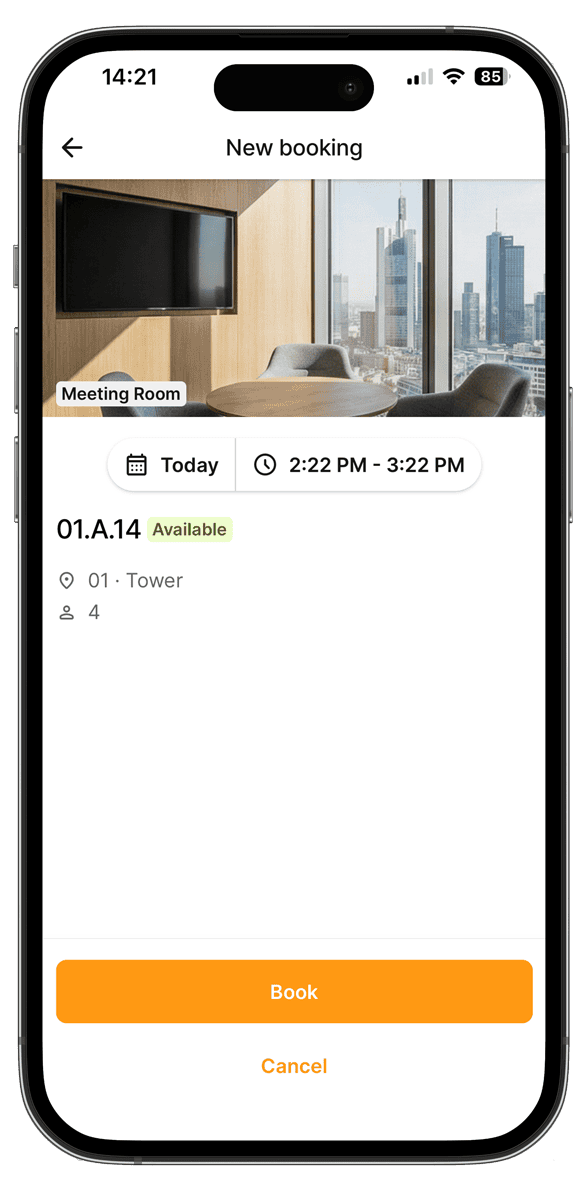
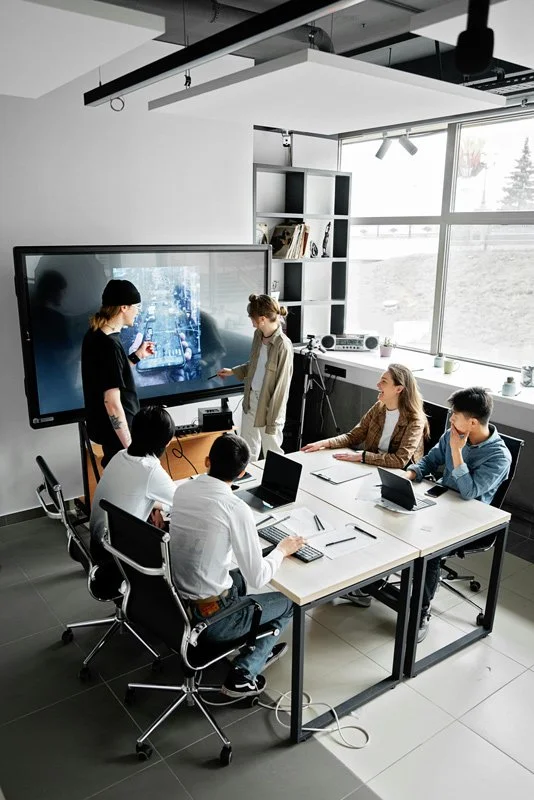

Case 2: Automatic Checkout and Avoiding "Ghost Meetings"
Initial situation:
Meeting rooms are often reserved even though they aren’t being used. No-shows or meetings that end early result in resources being allocated inefficiently and not being available to other employees.
Solution:
MazeMap Workplace integrates sensors to detect actual room usage. Sensors monitor occupancy during a booked time slot. If no activity is detected over a defined period (e.g., 15 minutes) despite an active booking, the system automatically checks the user out. The room is immediately released.
Key added value.
Up to 30% greater space availability through automatic release
Easier for employees to find available rooms
Reduced frustration and more efficient use of meeting rooms

Case 3: Catering Management with True Outlook Integration
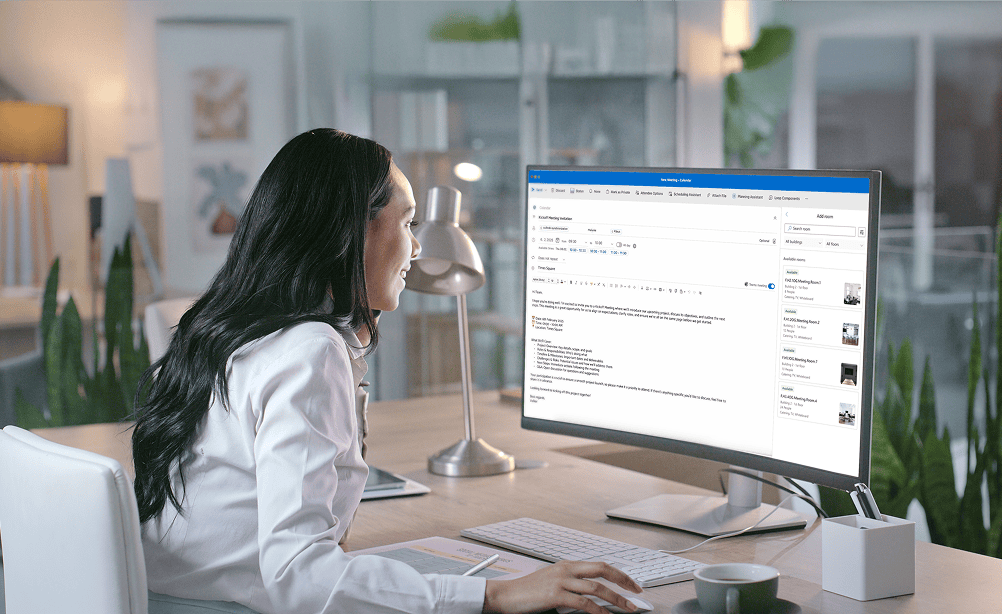
Many workplace solutions promise integration—but end up adding more tools, workarounds, and complexity. With MazeMap Workplace, you can connect your existing systems on a single central platform—directly integrated with Microsoft 365 and your infrastructure. MazeMap Workplace is the only provider to offer true Outlook integration, making meeting organization a breeze.
Manage room bookings & catering directly in Outlook
With MazeMap Workplace, meeting organization becomes a breeze:
You book rooms and order catering in one step—directly in Outlook with our add-in.
Seamless integration with Microsoft 365 ensures maximum efficiency, fewer sources of error, and smooth workflows in everyday office life—without additional tools or manual coordination.
We bring together everything you need:
Outlook add-in for booking, a catering shop for selection, and a backend with clear order overviews.
Your benefits at a glance
Centralized Resource Management in Microsoft 365
Room reservations, including catering, directly in Outlook
A seamless ordering process & smooth meetings
True Microsoft 365 integration instead of siloed solutions
Many solutions promise integration—but deliver only workarounds. The difference is particularly evident with Microsoft 365: instead of true integration, you end up with additional tools, synchronization issues, and unnecessary complexity. MazeMap Workplace takes a different approach. We integrate directly into your existing system landscape—without detours or system disconnects.
Competition: Suggested integration


No use of MS Panels & third-party displays
No compatibility with Microsoft Teams Rooms
Resource management in the third-party system
Synchronization problems
No access to setup times & booking rules


MazeMap Workplace: True Microsoft 365 integration
Full hardware flexibility
100% compatible with Microsoft Teams Rooms
Bidirectional synchronization
Avoidance of shadow IT
Resource management in MS Exchange Online
More than 1,000 offices in over 25 countries rely on us










Are you
curious?
Contact us today using the form. We’ll get back to you shortly.
Or book a demo appointment directly :
Free & no obligation

Tailored specifically to your situation, rather than a standard demo
Book a no-obligation demo today!

Lisa Pfützner
Workplace Strategist

Give us a call
+49 69-566086786