May 5, 2026 – 6-minute read
Clean Desk Policy: The Key to Making Desk Sharing Work
Imagine it’s Monday, 8:47 a.m.: You reserve your desk through the app, arrive—and find notes from Friday, a coffee cup, and an unlocked laptop. This isn’t just a mess. It’s a GDPR incident.
If your company is switching to desk sharing, one question will determine whether it’s a success or a disaster: How do you hand over a workstation from one person to the next?
This is exactly where the clean desk policy comes into play—not as an afterthought for data protection, but as an operational foundation for shared workspaces.
In this article, you'll learn how a clean desk policy really works for desk sharing—from handover procedures to integration with the booking system.

Head of Marketing

What you'll find in this article
What a clean desk policy is—and why the traditional definition doesn't apply to desk sharing
The 6 key components of a CDP that really work in desk sharing
A 3-step handover routine that employees can complete in 30 seconds
How to link the policy to your booking system—instead of just posting it on the bulletin board
What is a clean desk policy?
A Clean Desk Policy (CDP) is a written guideline that specifies the condition in which employees must leave their workstations. It defines how documents, data storage devices, and end-user devices are to be handled—with the aim of protecting confidential information and ensuring a tidy work environment.
That's the standard definition.
It dates back to a time when everyone had their own desk and simply “cleaning up at the end of the day” was enough. In hybrid workplaces where desks are shared, that’s no longer enough.
What a clean desk policy must achieve in shared workspaces
Most CDP templates you find online are based on a world where everyone has a dedicated desk.
With desk sharing, however, multiple people use the same desk each week —sometimes even each day. This does not change the spirit of the policy, but it does introduce three specific requirements:
Handover instead of clocking out
The table must be ready for handover by the end of the reservation , not just by the end of the day.
No fixed shelves
Personal belongings must not be left in the container at the table—there is no longer a "personal" workspace.
Traceability per transaction
If a data breach occurs, you must be able to determine who last used the table.
By the way, most employees don’t ignore clean desk policies out of defiance. Rather, it’s because the process is inconvenient in day-to-day work: no storage space, no system for keeping track of things, and no clear handover process.
That is precisely why many desk-sharing concepts fail not because of the idea itself, but because of a lack of operational procedures.
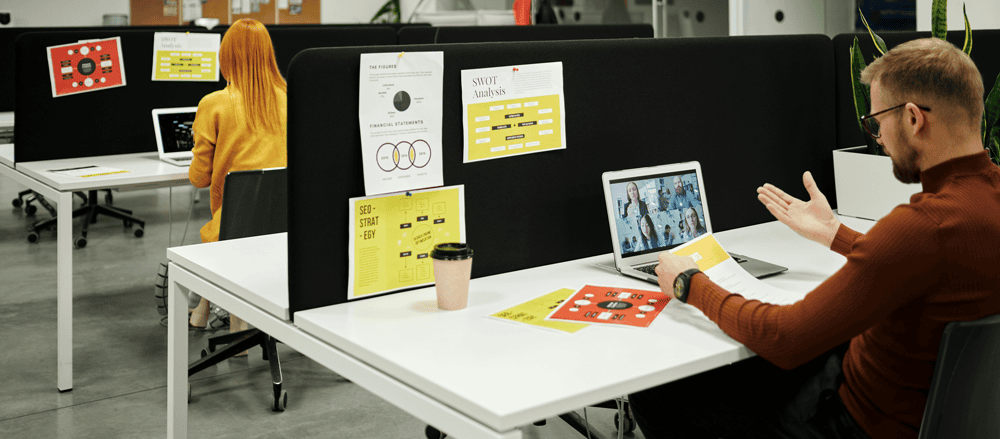
The 6 Components of a Clean Desk Policy for Desk Sharing
1. Clearly define the scope
This policy applies to every table, phone booth, and meeting room that is shared via the booking system.
This also applies to external consultants and guests as soon as they book a space.
Make this clear in the first paragraph—it will save you from having to explain it later.
2. Define the handover time
Instead of “at the end of the workday,” it now reads: “No later than 5 minutes before the booking ends.”
This small change in wording has a measurable impact on behavior. Employees begin to view the handover as an integral part of their work—not as an extra task.
3. Three-Point Checklist for Handover
Keep the handoff simple enough that it takes less than 30 seconds.
Three points are enough:
Desk visibly empty (no documents, no USB drives, no notes)
Screen locked or turned off, cables neatly tucked away
Personal belongings stored in a locker or rolling cart
The simpler the routine, the greater the acceptance.
4. Loose-item and rolling container concept
A CDP without a storage solution won't work.
Plan for at least one lockable storage space per employee—whether it’s a traditional locker at the entrance or a mobile rolling cart that can be reserved via the app.
Without this component, the policy will be ignored because employees have no practical alternative.
5. Digital Security
Screen lock after 5 minutes of inactivity, no passwords written down, no USB drives left on the desk.
The key requirement for desk sharing:
Browser sessions, Outlook profiles, and cloud logins must be closed at the end of the booking—not only when the next person notices.
6. Proof from the booking system
This is the difference between a policy on paper and one that’s actually put into practice.
If every transaction is recorded in the system, you’ll know exactly who worked at which table and when, should any questions arise.
In the event of a data breach, this is the foundation for a thorough investigation.
A hybrid company with about 120 employees integrated these handover rules directly into its digital checkout process. Within a few weeks, complaints about cluttered or untidy workstations dropped significantly—not because of stricter monitoring, but because the handover became part of the normal workflow.
From a notice on the bulletin board to an established routine: How to truly implement the CDP
The most common mistake with clean desk policies is to post them as a PDF on the intranet and hope that people will read them. In practice, that doesn’t work. What does work is linking them to the booking process itself:
When booking
, a brief note regarding the check-in policy is included with the booking confirmation.
Before the booking ends
A push notification 10 minutes before the booking ends will remind you of the 3-point check.
At checkout
The reservation is formally closed via the app—with a brief confirmation message: “Table released.”
For no-shows
Unused reservations are automatically released to prevent “ghost tables.”
This way, the policy becomes part of the workflow, not just an additional rule.
Employees don’t have to actively remember anything—the system reminds them at the right time.

What this means for your team
A clean desk policy for desk sharing doesn't just affect employees. It spreads the responsibility across multiple parties:
Workplace Experience
Develops the policy and provides lockers, rolling cabinets, and storage solutions.
IT
Integrates policy notifications into the booking workflow and ensures that the system locks the screen.
HR
Explain the policy during onboarding and make it clear why it is essential for hybrid work.
CREM
Monitors compliance with booking and utilization data and adjusts the policy as needed.
Without this division of responsibilities, the burden falls on individual employees—and that is precisely where things often go wrong.
Conclusion: The clean desk policy is step one, not step five
When you implement desk sharing, don’t treat the clean desk policy as an add-on to your data protection policy.
Think of them as the operational foundation.
Without clear handover procedures, storage space for employees, and integration with the booking system, your shared-space concept will lose its appeal within a matter of weeks—no matter how modern your offices look.
The key is that booking, reminders, and handoffs don’t take place in separate tools.
This is exactly what workplace platforms like MazeMap Workplace are designed for: they integrate booking, reminders, and documentation into a single workflow, rather than burdening employees with additional rules.
Frequently asked questions
-
Plan, Protect, Pick.
Plan in the morning which documents you really need. Protect sensitive information throughout the day. Clean up completely at the end of the day.
With desk sharing, there’s a fourth point to consider: “pass over”—making sure the desk is handed over to the next person in good order.
-
Yes.
Even when working from home, you process personal data—often with family members or roommates in the same room.
The same basic principles apply there: lock your screen, keep sensitive documents under lock and key, and don’t write down your passwords.
-
It is not directly required.
However, it is indirectly implied by the GDPR: If you process personal data, you must implement appropriate technical and organizational measures.
A clean desk policy is one of the simplest and most effective organizational measures for meeting these requirements.
-
Using the data that is generated by the accounting system anyway.
You don't have to monitor anyone personally—you just need to be able to track who used which table and when, in case of an emergency.
This protects both the company and its employees.
Latest Posts

Workplace Management in the Hybrid Office: What You Really Need
Workplace management is no longer a niche topic. For companies with hybrid work models, it has become a core operational task—and, at the same time, one of the most complex.

Digital parking space management: How to finally make efficient use of unused space
For many employees, finding a parking space in the morning is a daily source of stress—even though there is often unused space available. The problem is usually not a lack of parking spaces.

Desk Sharing in the Office: Why It Often Fails—and How to Make It Work
Desk sharing —that is, the flexible sharing of workspaces in the office—has become established in German companies as a response to hybrid work models.
Are you
curious?
Contact us today using the form. We’ll get back to you shortly.
Or book a demo appointment directly :
Free & no obligation

Tailored specifically to your situation, rather than a standard demo
Book a no-obligation demo today!

Lisa Pfützner
Workplace Strategist

Give us a call
+49 69-566086786