
June 19, 2026 – 6 min. read
Room Management: How to Keep Track of Your Rooms
Managing rooms sounds simple. Who needs which room and when? In practice, this is precisely one of the biggest sources of friction in a hybrid office: double bookings, empty reserved rooms, and scrambling to find a room right before a meeting.
A well-designed space management system doesn't solve this problem with more rules, but with better data and the right integration with your existing systems. In this article, you'll learn what space management really means today, why many solutions fall short, and what matters most when choosing a solution.

Head of Marketing
In a nutshell
Good space management should:
Display real-time availability and prevent double bookings
Automatically release rooms that have been reserved but not used
synchronize bidirectionally with Outlook and Microsoft 365
Include additional services such as catering and equipment
provide actual usage data, rather than just counting bookings
The difference rarely lies in the interface. It lies in how deeply the system is integrated with your IT infrastructure and what data it provides you with.
What is space management?
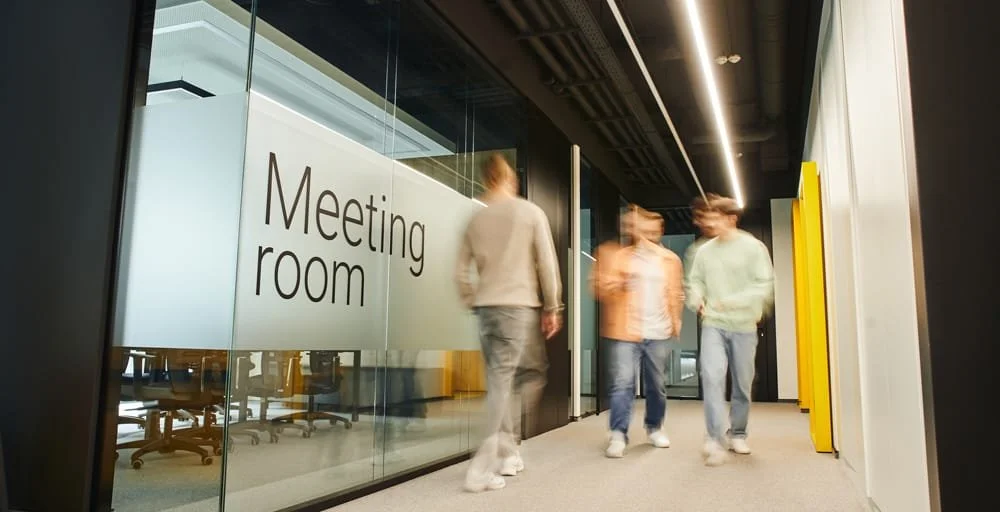
Space management refers to the organization and control of all bookable spaces within a company: meeting rooms, conference rooms, project rooms, and focus rooms. It’s not just about reserving a room. It’s about maintaining an overview: What spaces are available, how are they being used, where are bottlenecks occurring, and where is space going unused?
This distinguishes space management from simple space booking. Booking is the individual transaction. Management is the level above that: rules, utilization, transparency, and the question of whether your spaces actually match real demand.
Those who simply book rooms are reacting. Those who manage rooms are planning.
Why Space Management Is Becoming More Challenging in the Hybrid Office
As long as everyone had their own designated workspace and office, space management was manageable. Hybrid work has changed that. More people are sharing fewer designated spaces, and the demand for flexibly bookable rooms is on the rise.
Added to this is economic pressure. Office space in prime locations is expensive. When leases expire, the workforce grows, or costs need to be cut, the same question quickly comes up: Do we really need this much space, or are we simply not making good use of what we have?
This is exactly where many setups fall short. They show what was booked, but not what was actually used. A room is considered occupied even though no one showed up. The result is calendars that look full, empty rooms, and a debate over space that no one can back up with data.
What Good Space Management Really Needs to Achieve
A good system takes work off your hands instead of creating more. In practice, these points make all the difference:
Real-time availability. Employees can immediately see which rooms are available and book them with just a few clicks. Double bookings are automatically prevented.
Automatic release in case of no-shows. If no one shows up, an auto-checkout system releases the room. This ensures that no space is blocked that someone else could have used.
Additional services all in one place. Catering, equipment, and technology are all part of the meeting. If you arrange them right when you book the room, you can avoid the back-and-forth between multiple tools.
A view of all locations. Especially when you have multiple buildings, you need a central dashboard that shows bookings and occupancy rates all in one place, rather than scattered individual calendars.
Our room reservation software demonstrates how these features work together within a single platform.
Mailbox Management in Outlook and Microsoft 365
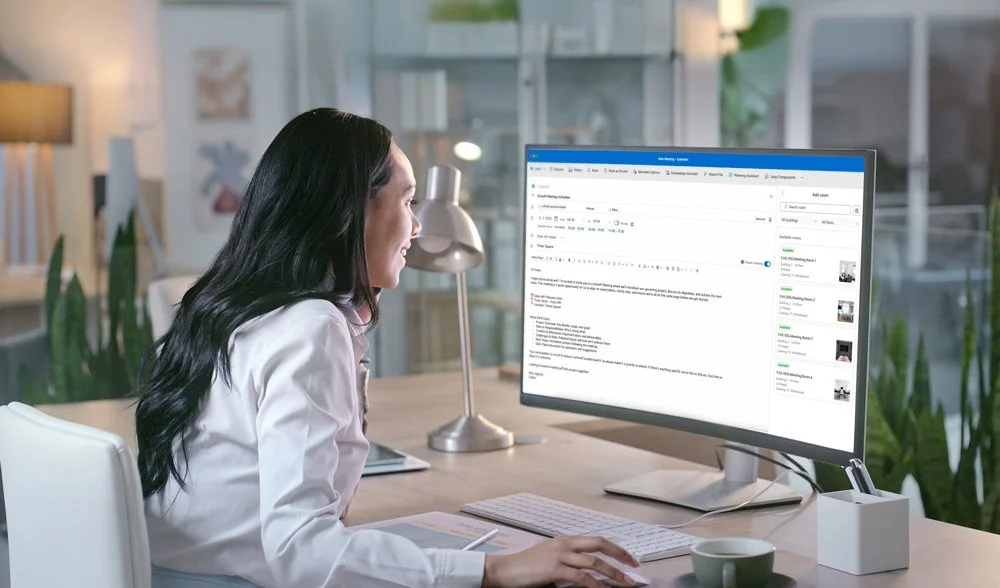
Most teams organize their meetings in Outlook anyway. Room management should start where your people are already working, rather than adding yet another tool on top of that. The key point is the type of integration. Many systems simply add the room as a participant but manage it in their own database. This leads to two conflicting statuses: In the external tool, the room is booked, but in Outlook, it’s still available. Teams Rooms and room displays often don’t play along with this setup. With true bidirectional integration, the room is managed directly as a resource in Microsoft 365. Bookings, changes, and cancellations are automatically synchronized in both directions. There is a single source of truth, and it’s right where your IT team expects it to be. For IT, how users and permissions are managed is also important. A seamless connection via Azure AD and automated provisioning via SCIM reduces effort and security risks. You can find out which systems can be integrated on our integration page. Our Outlook add-in demonstrates how room and catering bookings are combined in Outlook in a single step.
From Administration to Management: Managing Spaces with Real Data
Booking data alone tells only half the story. It shows what was reserved, but not what actually happened. Only sensor-based data reveals how many people were actually in a room and for how long.
This analysis changes the way you plan. Instead of relying on gut feelings, you can see in black and white which rooms are overbooked and which are hardly ever used. For one of our major clients, for example, the analysis showed that a significant portion of the reserved rooms regularly remained empty. Without data, such patterns remain hidden.
This is what we call “right-sizing”: You size your spaces based on actual needs rather than rigid assumptions. This saves costs without depriving employees of the space they need.
Our sensor-based usage analysis and space efficiency dashboard provide the foundation for this.
What to Look for When Making Your Choice
Not every solution that appears to be for space management stands up to practical use. These criteria will help you ask the right questions early on:
| Criterion | Why It Matters |
|---|---|
| True MS-365 integration | One source of truth instead of two parallel systems |
| Auto-Checkout | No-shows no longer block spaces |
| Usage data instead of just bookings | Decisions Based on Reality, Not on Reservations |
| Multiple locations in a single view | Maintaining an overview even as the organization grows |
| Enterprise Readiness | SSO, SCIM, and Easy Maintenance for IT |
The number of features a tool offers is less important. What matters more is how well it integrates into your existing setup. For more details on the setup options, see our guide to the conference room booking system.
Manage your spaces using real data instead of assumptions.
MazeMap Workplace combines room booking, Microsoft 365 integration, and sensor-based analytics in a single platform. Book a demo and see what your utilization rates really look like.
Frequently asked questions
-
Room booking is the individual process of reserving a room. Room management is the overarching level: it encompasses rules, utilization, transparency, and the question of whether the available rooms meet actual needs.
-
Outlook is sufficient for a small number of rooms and simple scenarios. As soon as catering, hybrid meetings, or multiple locations are added to the mix, Outlook alone reaches its limits. Software should complement Outlook rather than replace it, ideally through bidirectional integration.
-
There are free tools and open-source solutions. They may be sufficient for small setups. In enterprise environments, however, they typically lack the deep integration with Microsoft 365, robust usage data, and support required for reliable management across multiple locations.
-
With true integration, the room is managed directly as a resource in Microsoft 365 and synchronized in both directions. This ensures that bookings from Outlook, Teams, and the app remain consistent at all times.
-
Booking data shows reservations, while sensor-based data shows actual usage. Only by combining the two can we see which rooms are being used and where space remains unused.
Latest Posts

Workplace Management in the Hybrid Office: What You Really Need
Workplace management is no longer a niche topic. For companies with hybrid work models, it has become a core operational task—and, at the same time, one of the most complex.

Digital parking space management: How to finally make efficient use of unused space
For many employees, finding a parking space in the morning is a daily source of stress—even though there is often unused space available. The problem is usually not a lack of parking spaces.

Desk Sharing in the Office: Why It Often Fails—and How to Make It Work
Desk sharing —that is, the flexible sharing of workspaces in the office—has become established in German companies as a response to hybrid work models.
Are you
curious?
Contact us today using the form. We’ll get back to you shortly.
Or book a demo appointment directly :
Free & no obligation

Tailored specifically to your situation, rather than a standard demo
Book a no-obligation demo today!

Lisa Pfützner
Workplace Strategist

Give us a call
+49 69-566086786